-
cPicture 4.15
cPicture is updated to version 4.15
Changes:
- Added app themes:
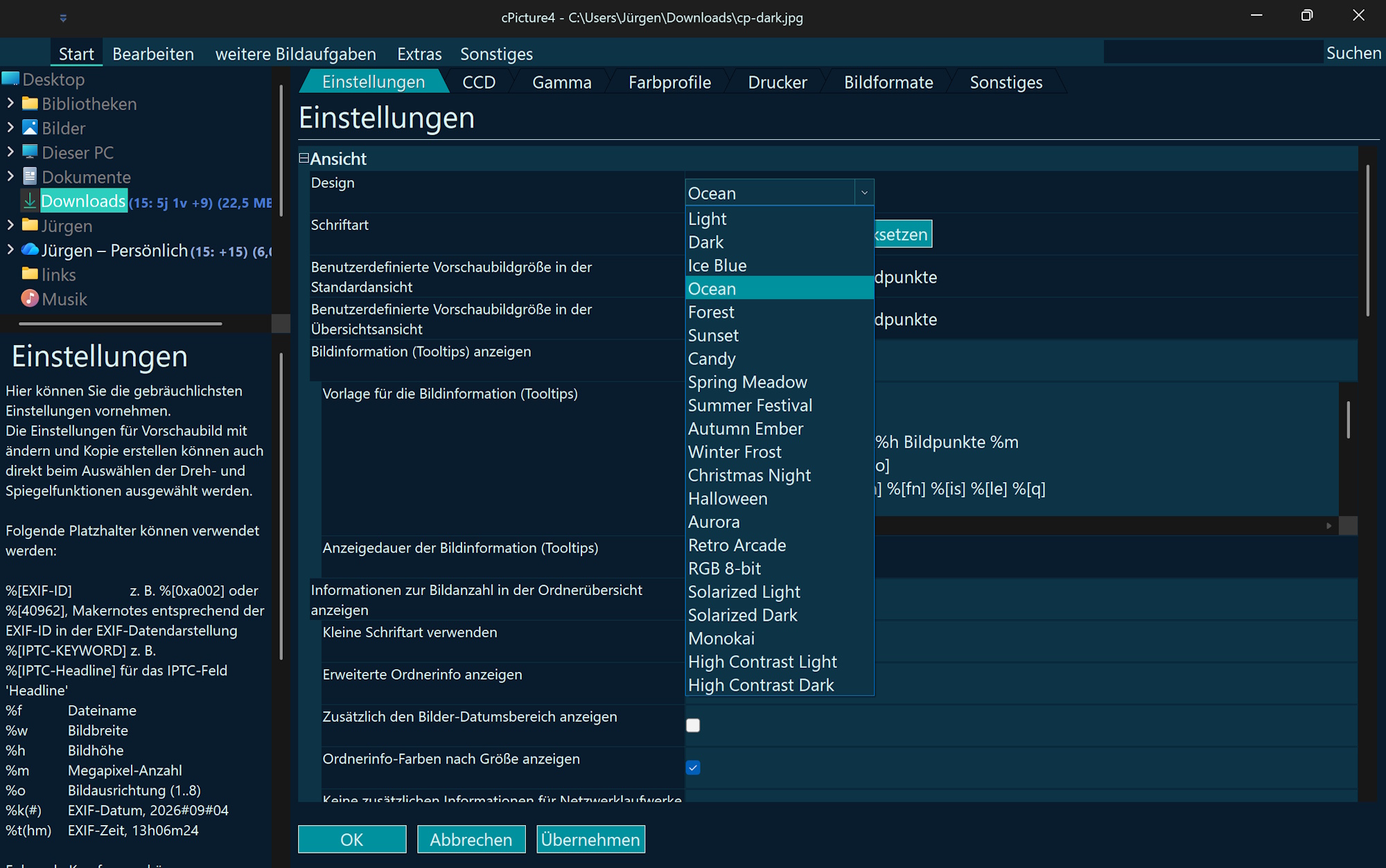
for example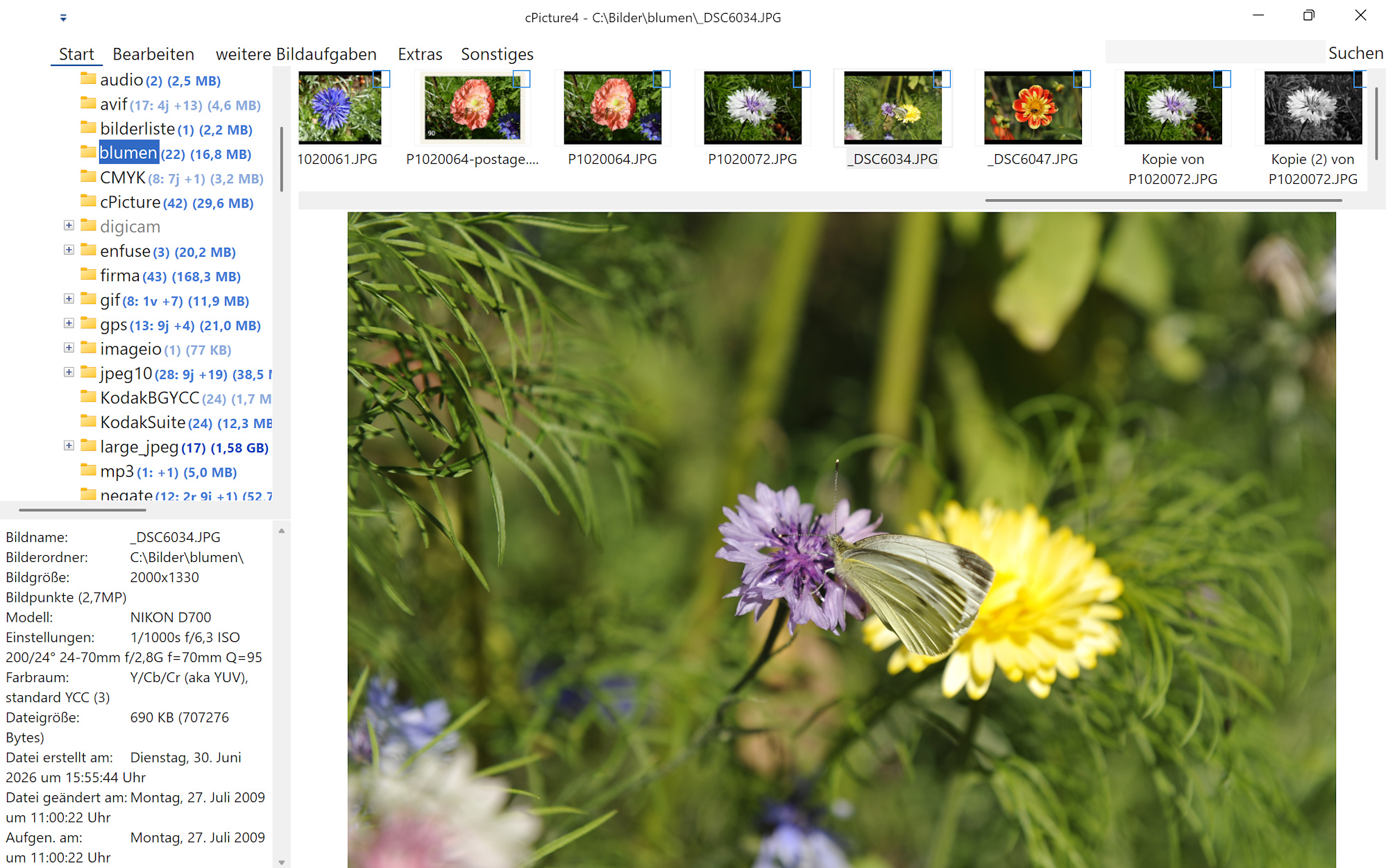
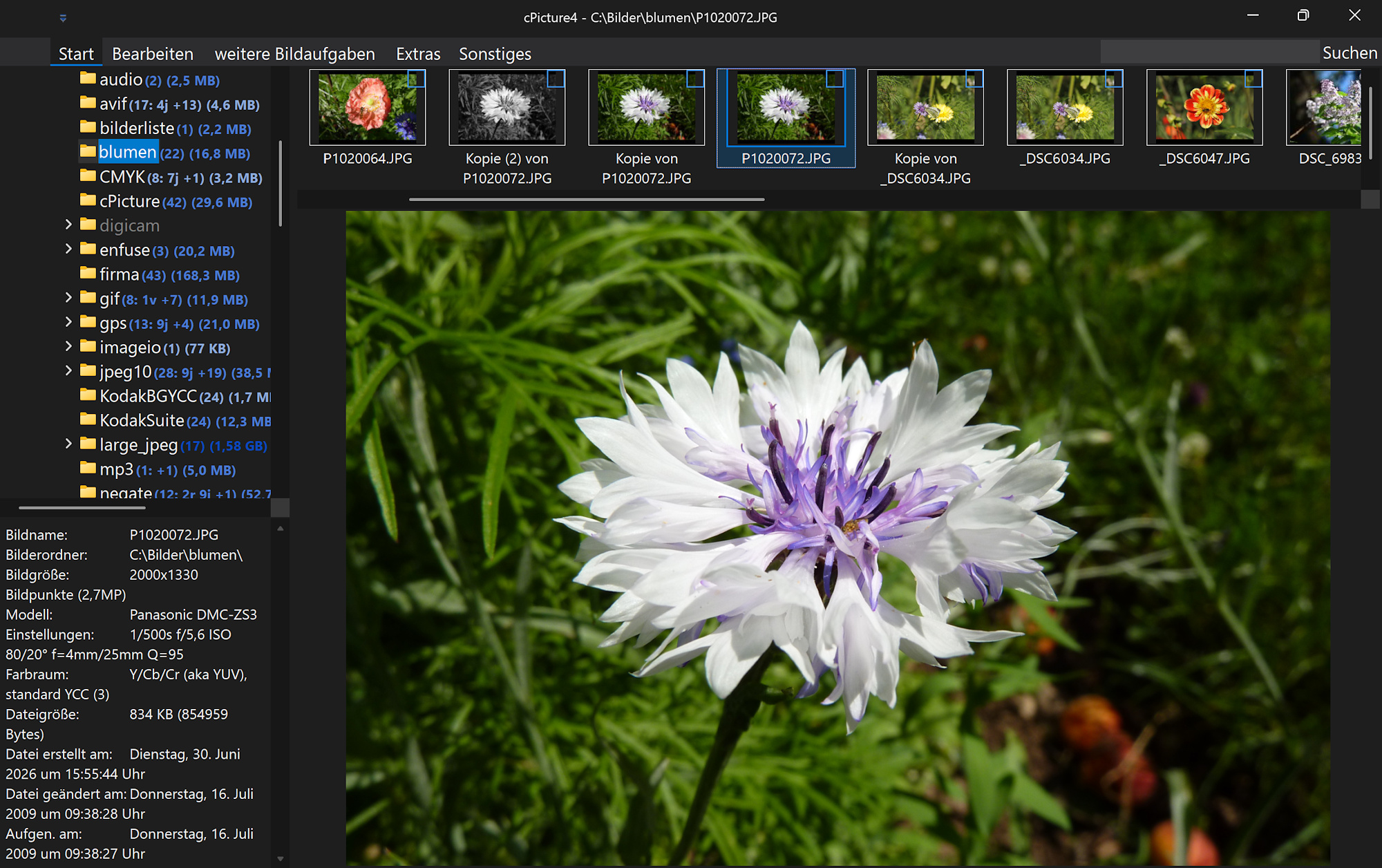
Set the experimental flag"ExperimentalAppThemeSelectionMode": truein config.json to enable an alternative theme‑selection method. For example:{ "app": "cPicture4", "version": "4.15", "settings": { ".ExperimentalAppThemeSelectionMode": true, "AVIVolume": 46, "AnaglyphMode": 3, "AppTheme": 1, "ArtEffectsBlockSize": "32", : - Minor improvements and general maintenance
cPicture is a portable application consisting of a single executable file with optional plugins.
Use the MSI installer to install or update the application, or use the Check for updates option in the Other category in the cPicture App.
Download German 64bit Installer MSI
Download English 64bit Installer MSIAdditional languages are available on the cPicture website. An alternative download is available on GitHub.
See the Download Instructions for details. For questions or feedback, please mail to cpicture. - Added app themes:
-
AVIF, GIF and WebP plugin
AVIF Format
This format plugin extends cPicture with support for the AVIF picture format. AVIF pictures can be opened and saved.
This plugin is built on libavif.
GitHub: libavif
Note: AVIF takes its time when loading and can feel glacial when saving.

GIF Format
This format plugin extends cPicture with support for GIF pictures, including animated GIF playback.
This plugin is built on the Windows GDI+ library.
GIF files are opened read-only.

WebP Format
This format plugin extends cPicture with support for the WebP picture format. WebP pictures can be opened and saved.
This plugin is built on libwebp.
GitHub: libwebp

Download the plugin from
Function plug-insmenu and selectManagein cPicture.
See the plugin overview -
cPicture 4.14
cPicture is updated to version 4.14
This update introduces a breaking change that affects how cPicture handles optional license files: Please check whether the folder
%AppData%\cPictureexists and copy the license file into it.
(Enter%AppData%\cPictureinto Windows File Explorer; it will automatically resolve to your user directory.)In Settings (press F9), under Other, a new button is available that handles this automatically.
Changes:
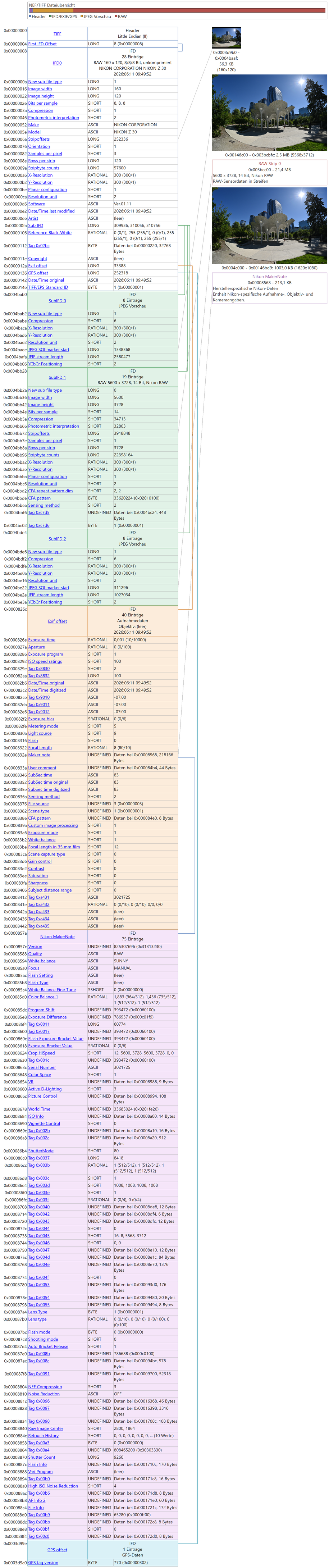
- Added RAW Structure Views, example for Nikon NEF:
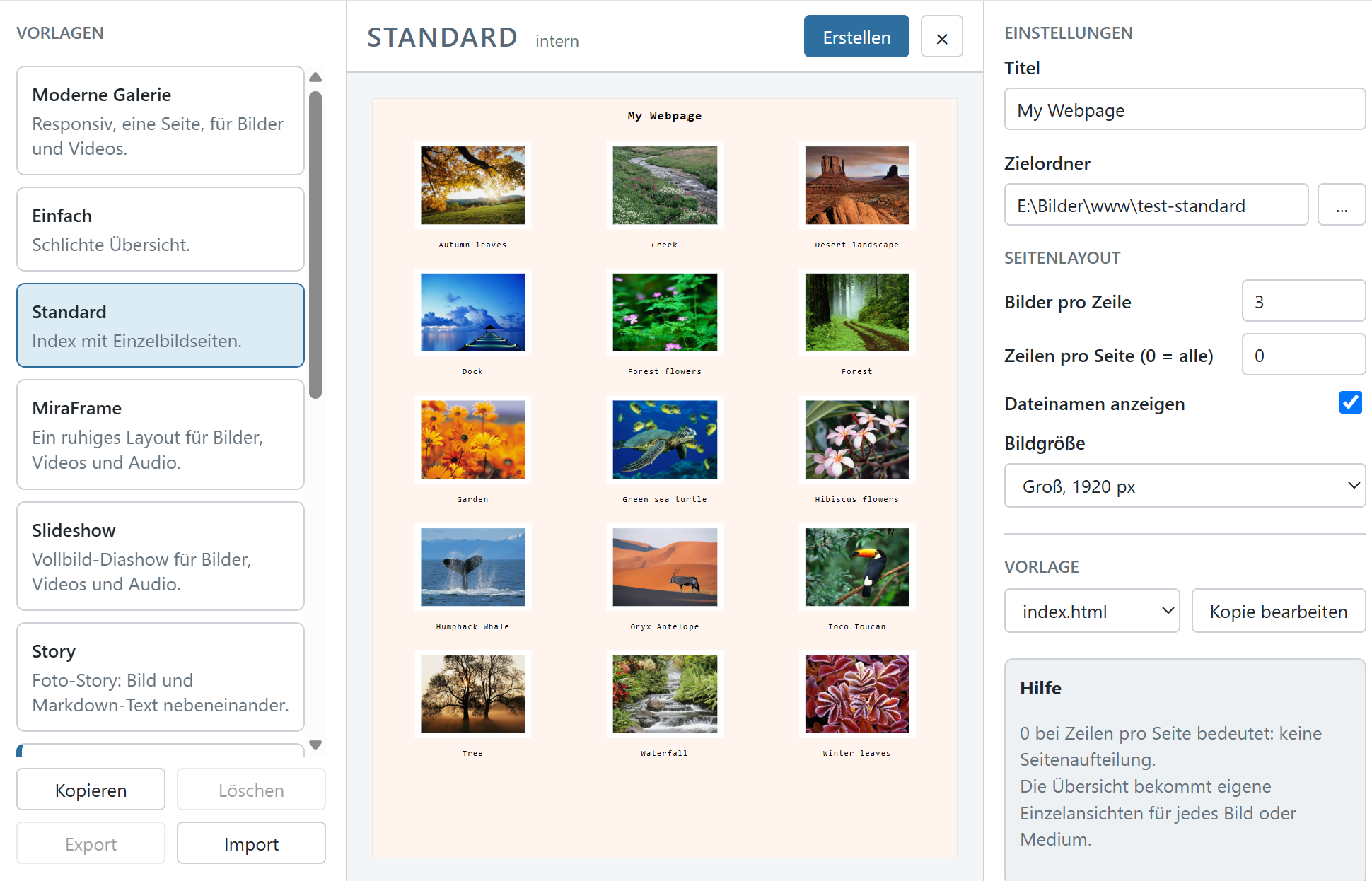
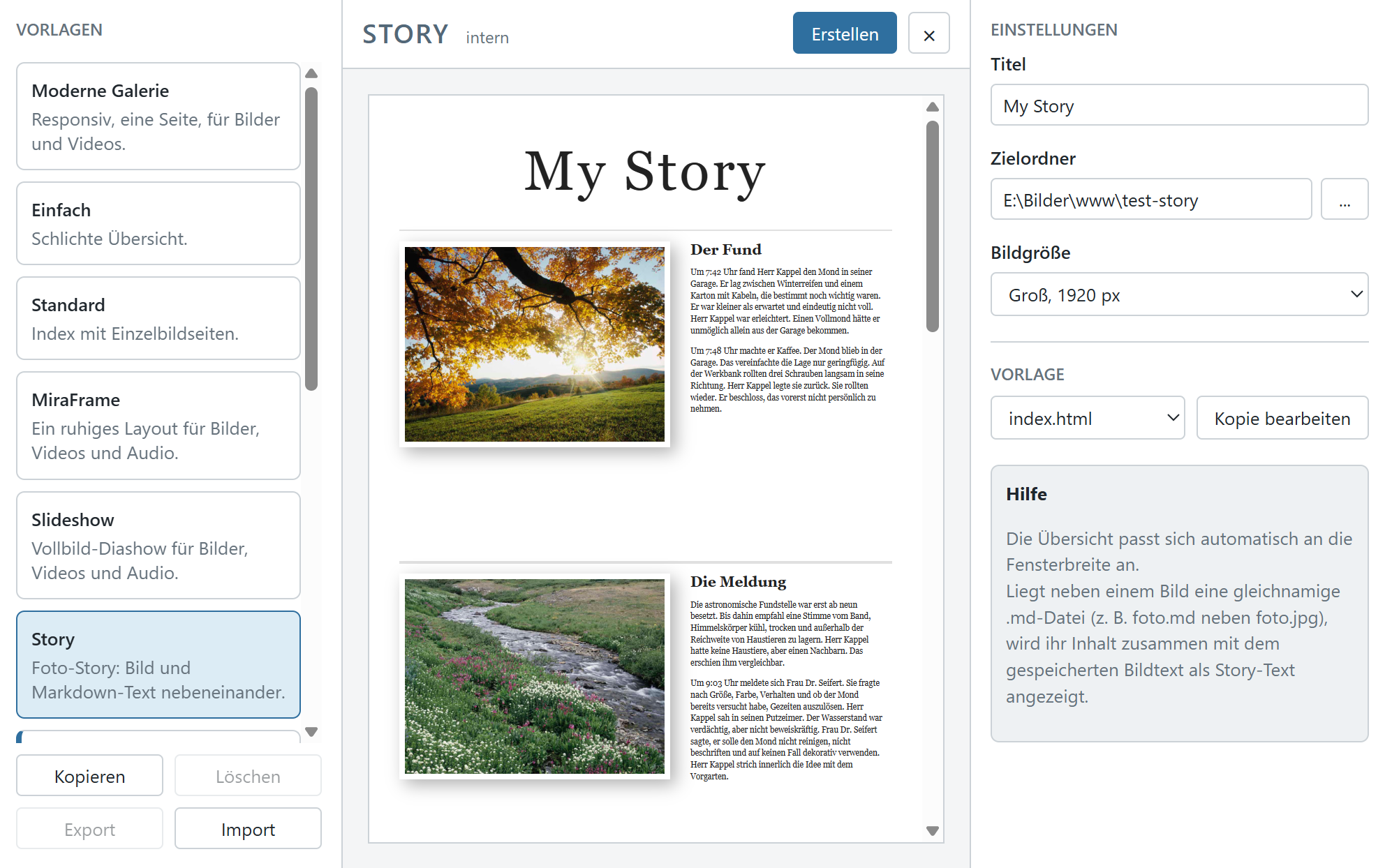
- Updated the function to create a Webpage from the picture selection
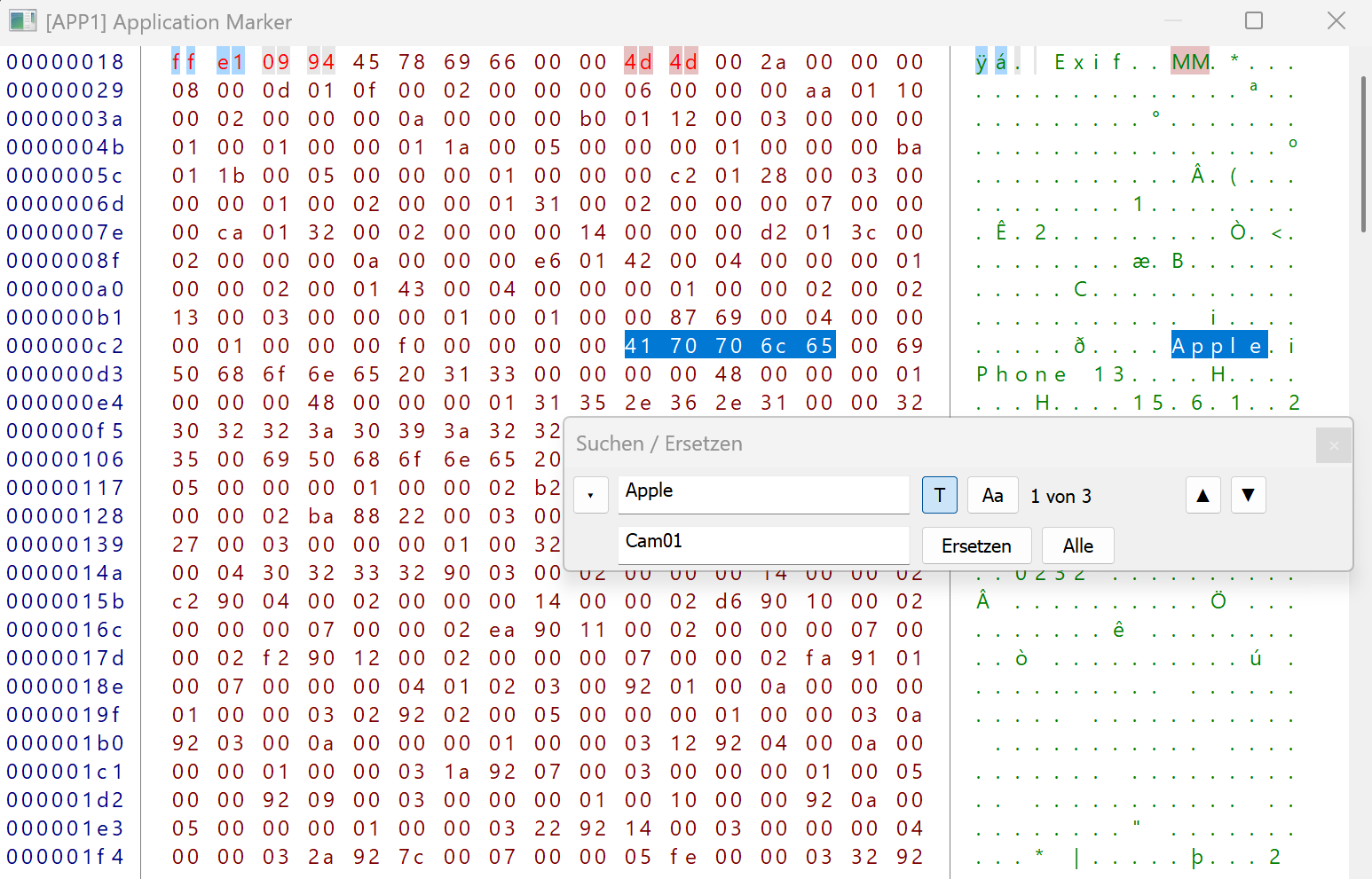
- Add Search/Replace for the HexView to modify any picture data
- Support for JPEG Lossless Sequential Huffman encoding (this is different from the lossless JPEG10)
- New format plugin interface version 1.2 with animated image support, enabling playback of animated AVIF, WebP, and GIF files when the corresponding plugins are installed
- Minor improvements and general maintenance
cPicture is a portable application consisting of a single executable file with optional plugins.
Use the MSI installer to install or update the application, or use the Check for updates option in the Other category in the cPicture App.
Download German 64bit Installer MSI
Download English 64bit Installer MSIAdditional languages are available on the cPicture website. An alternative download is available on GitHub.
See the Download Instructions for details. For questions or feedback, please mail to cpicture. - Added RAW Structure Views, example for Nikon NEF:
-
FilmReel plugin
FilmReel
This function plugin creates a FilmReel animation (.webp) from the selected images.
Settings:
- Frame delay (ms): Display duration of each frame in milliseconds
- Loop count (0 = infinite): How many times the animation repeats
- Quality (0–100): Compression level for lossy encoding
- Lossless: Lossless mode for maximum quality (larger file size)
The output file is saved next to the first selected image (
_filmreel.webp Example FilmReel created from 9 pictures with 400ms delay:


Download the plugin from
Function plug-insmenu and selectManagein cPicture.
See the plugin overview -
OCR plugin
OCR - Text Recognition
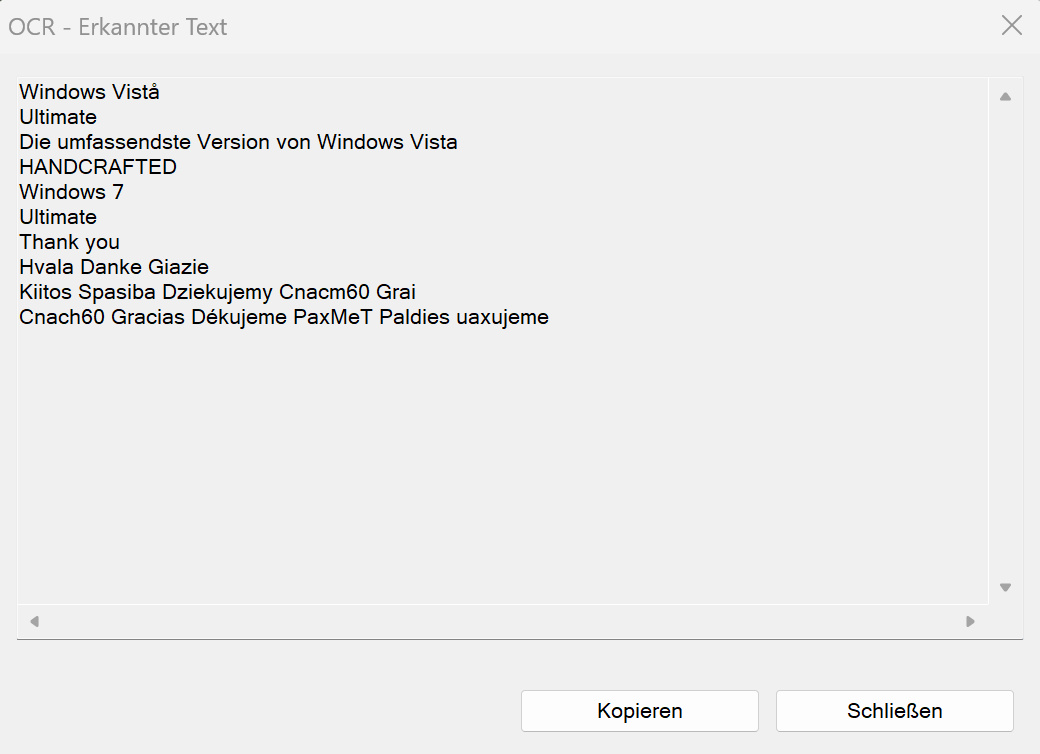
This function plugin recognizes text in selected images using the built-in Windows OCR engine. No API key or internet connection required.
The recognized text is shown in a dialog and can be copied to the clipboard with a single click. For multiple selected images, the results are combined with the file name as a section header.
Requirements: Windows 10 or higher. The OCR engine uses the language packs installed on the system.
Example picture:
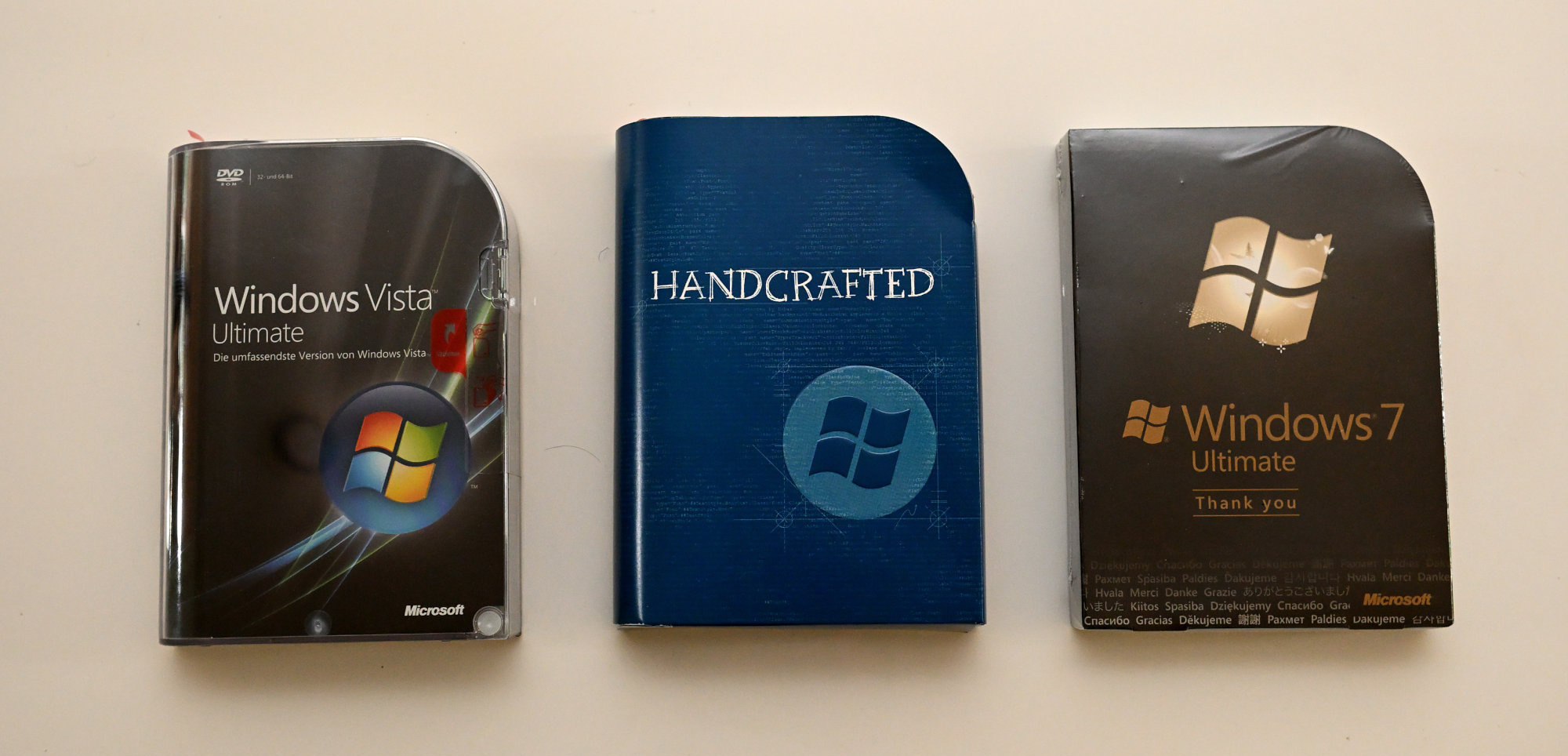
Text result from the example picture:
Download the plugin from
Function plug-insmenu and selectManagein cPicture.
See the plugin overview
Seite 1 von 17
Ältere Beiträge →